
1 / 6 · Click to enlarge
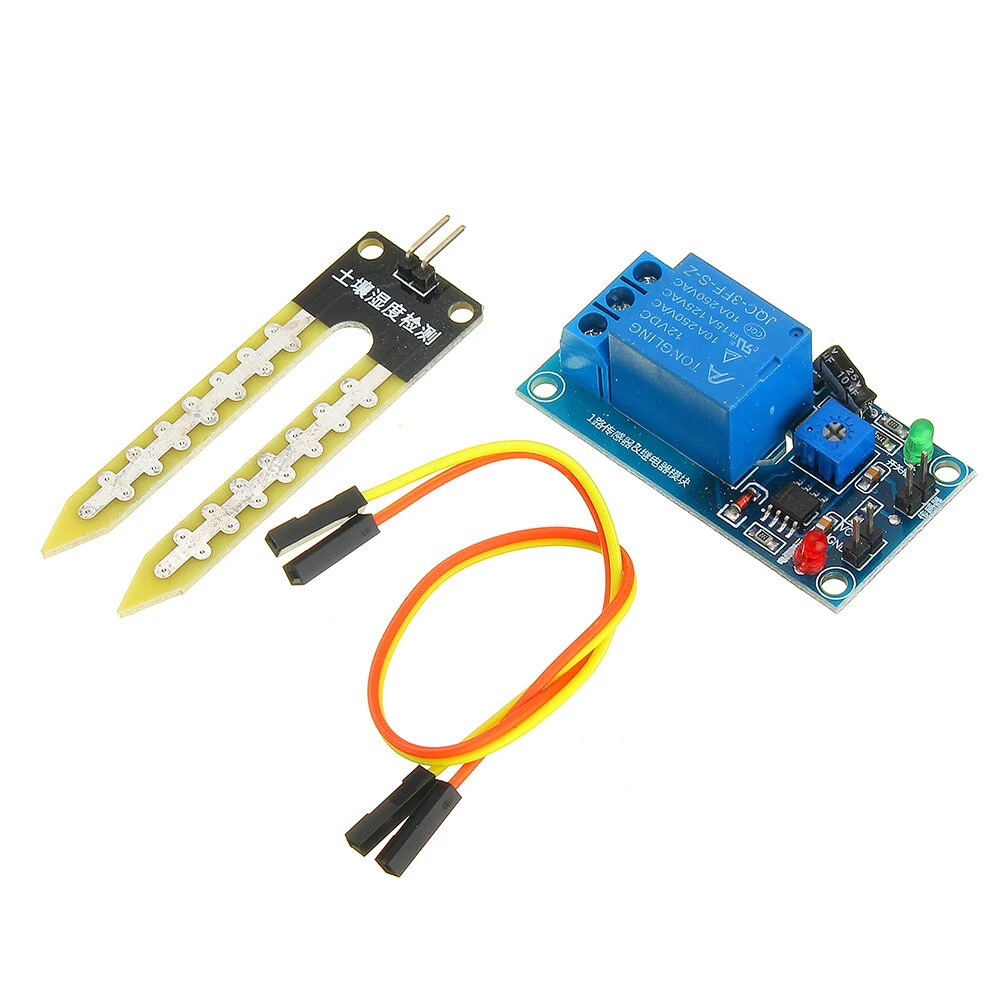
DC 12V Relay Controller Soil Moisture Humidity Sensor Module Automatically Water
5.025 ratingsThe DC 12V Relay Controller Soil Moisture Humidity Sensor Module Automatically Water is a value-for-money product designed for everyday users. Customers praise its excellent build quality and fast and responsive. 100% of buyers rate it 4★ or above.
Available Offers
Free Delivery on this order. No minimum order value.
15-Day Easy Returns — hassle-free return & full refund.
Secure Payment — 100% safe checkout with UPI, Cards & Net Banking.
Available Offers
5% Cashback
Pay with UPI & get 5% cashback (up to ₹50) via Razorpay
No-Cost EMI
Available on select bank cards at checkout. 0% interest for 3 months.
Free Shipping
Free delivery on all orders. No minimum order value.
Cash on Delivery
COD available on orders up to ₹5,000 across India.
Ideal For
About This Product
The DC 12V Relay Controller Soil Moisture Humidity Sensor Module Automatically Water is a value-for-money designed for everyday users. Customers highlight its excellent build quality and fast and responsive.
Customer Verdict
100% of buyers rated this product 4 stars or above. The most appreciated qualities are: excellent build quality, fast and responsive, accurate and reliable.
Why Buy from Elecvora?
Elecvora sources this product directly, cutting out multiple middlemen. Every order includes free shipping, a 15-day return policy, and secure payment via Razorpay.
1. Using high-quality soil sensors do detect soil moisture, the surface of nickel plated , has widened the induction area can improve conductivity, prevent contact with the soil rust problems and prolong life;
2. When two products can control a wide range of soil moisture, the corresponding threshold by adjusting potentiometer control, humidity is below the set value, start relay, while higher than the set value, the relay is disconnected;
3. Products with the delay function, delay of 3-5 seconds, when the humidity is detected in the critical state, the relay will not blink, flicker occurs;
4. High-quality products using Songle relay can withstand 1500W load, to meet the requirements of most people;
5. Products with power indicator
Specifications:
Supply voltage: 12VDC
Input current: More than 100ma
Load: 250V 10A AC or 30V 10A DC (below current in this range can be used)
Module for use:
Sensor for detecting moisture in the soil;
Module is the blue potentiometer to adjust the threshold for soil moisture , clockwise adjustment, control humidity will be bigger, smaller counter-clockwise;
Due to the module with delay function in the regulation of humidity values, adjusted once every 5-8 seconds to wait around to see if changes in the relay, the green LED lights also have a corresponding change until transferred to meet the requirement.
Product wiring information , refer to the picture below.
Package includes:
1 x Soil moisture sensor control module
2 x 20cm DuPont line


