1 / 7 · Click to enlarge
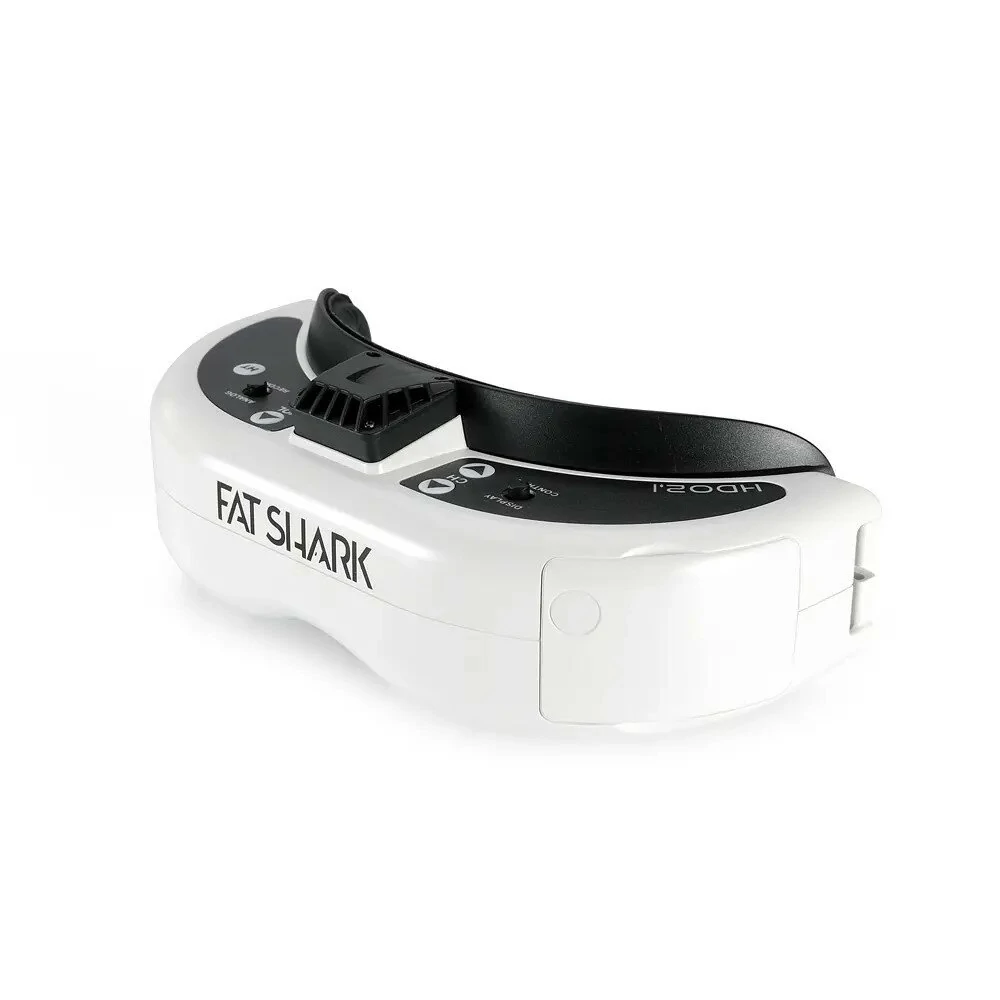
Fat Shark Dominator HDO2.1 OLED 1280x960 FatShark Video Headset FOV 46° Bulit-in DVR FPV Goggles for RC Drones
The Fat Shark Dominator HDO2.1 OLED 1280x960 FatShark Video Headset FOV 46° Bulit-in DVR FPV Goggles for RC Drones by Fatshark is a value-for-money product designed for everyday users.
Available Offers
Free Delivery on this order. No minimum order value.
15-Day Easy Returns — hassle-free return & full refund.
Secure Payment — 100% safe checkout with UPI, Cards & Net Banking.
Available Offers
5% Cashback
Pay with UPI & get 5% cashback (up to ₹50) via Razorpay
No-Cost EMI
Available on select bank cards at checkout. 0% interest for 3 months.
Free Shipping
Free delivery on all orders. No minimum order value.
Cash on Delivery
COD available on orders up to ₹5,000 across India.
Ideal For
About This Product
The Fat Shark Dominator HDO2.1 OLED 1280x960 FatShark Video Headset FOV 46° Bulit-in DVR FPV Goggles for RC Drones by Fatshark is a value-for-money designed for everyday users. It delivers reliable performance at an accessible price.
Why Buy from Elecvora?
Elecvora sources this product directly, cutting out multiple middlemen. Every order includes free shipping, a 15-day return policy, and secure payment via Razorpay.
Sorry, this model is currently out of stock. Perhaps these FatShark FatShark FPV Goggles would suit your needs:
About this product:
The updated Fat Shark Dominator HDO2.1 headset launches as the successor to the much-loved Dominator HDO2. This 2.1 version features updated IPD and Focus Adjuster buttons. The HDO2.1 uses big 1280 x 960 OLED panels to provide a dramatically improved image with a 46-degree field of view. Display customization is now possible using a new OSD with expanded controls. The HDO2.1 can be further personalized with adjustable focus, adjustable IPD, adjustable face plate curvature, selectable image ratio, and a configurable power button. The HDO2.1 is the perfect headset for an experienced pilot looking for the best flight experience.
Features:
-High Definition Multimedia Interface 1080p Support
-Updated 2.1 IPD and Focus Adjuster buttons
-54-74 mm IPD Range (Adjustable)
-Switchable 16:9 and 4:3 Format
-1280x960 OLED Display
-Adjustable Face Radius
-Integrated Analog DVR
-2 OLED Displays
-Modular Reciever Bay
-46° Diagonal FOV
-Adjustable Focus
-Expansion Port
Specifications:
-User Control: Channel Selection, Volume Control, Mode Selection, Display Control (Brightness and Contrast), DVR Control, Power Button / Fan Control.
-Power Consumption: 320mA @ 7.5V input power (no RX module) / 770mA @ 7.5V input power (Rapid
-Power Supply:7 – 13V input voltage (2S – 3S Supply)
-Record Rate: 6Mbps (MJPG compression, 30 fps, AVI)
-File playback: (native recording, no codec support)
-Battery: 7.4V, 1.8A 18650 Battery Case (optional)
-FOV (field of view): 46 degrees diagonal
-HT connector: 3-pin internal connection
-Analog DVR: MicroSD support to 32 GB
-IPD (interpupillary distance): 54-74 mm
-Focus: +2 to -6 diopters (adjustable)
-OLED: Two 0.5” OLED displays
-Earphone port: 3.5mm 3p
-Upgradeable: via SD card
-NTCS/PAL auto-selecting
-Resolution: 1280 X 960
-AV in/out port: 3.5mm
-Memory: MicroSD
-Mode: 16:9
-Power input: port
-Module Bay: RF
-AV Mode: 16:9
-Power: Button
-Audio: Stereo
-AV Mode 4:3
Includes:
1x Fat Shark Dominator HDO 2.1 FPV Goggles
1x 7.4V 18650 Battery Case
1x Lens Cleaning Cloth
1x Carrying Case


![Fat Shark ECHO 5.8GHz 4.3 Inch 800x480 40CH FPV Goggles DVR OSD16:9 w/ Battery for FPV Drone (Inclusive of European VAT) [HK Direct] — Fatshark](https://elecvora.com/product-images/fat-shark-echo-5-8ghz-4-3-inch-800x480-40ch-fpv-goggles-dvr-osd16-9-w-battery-fo-2008257-1.webp)