
1 / 8 · Click to enlarge
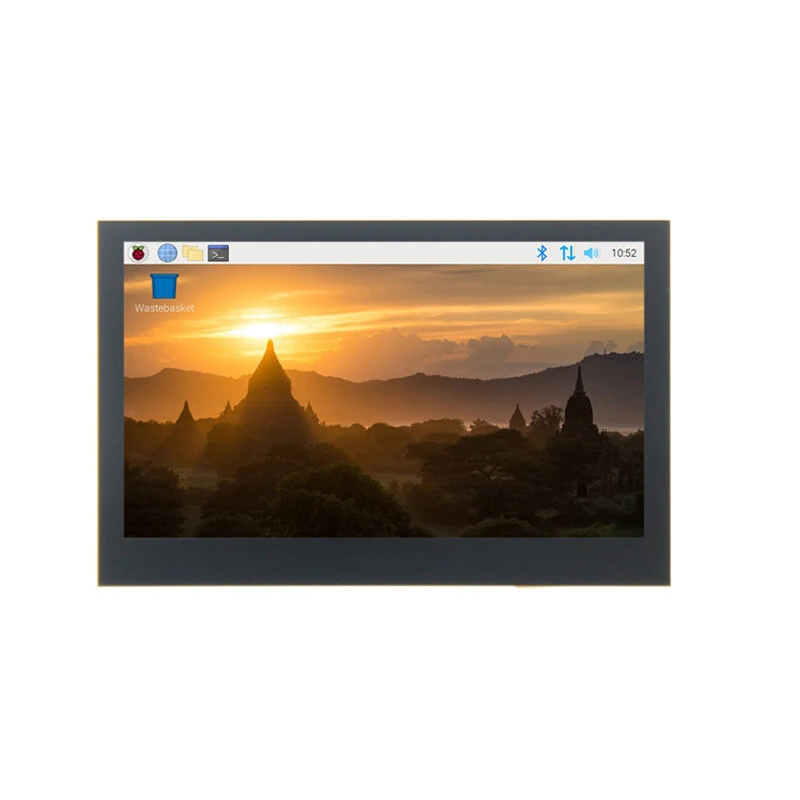
Raspberry Pi IPS Touch Screen 4.3/5/7 Inch MIPI DSI Display Compatible with Raspberry Pi 4B/3B/2B Orange Pi 3B Retropie Gaming
5.01 ratingThe Raspberry Pi IPS Touch Screen 4.3/5/7 Inch MIPI DSI Display Compatible with Raspberry Pi 4B/3B/2B Orange Pi 3B Retropie Gaming is a mid-range product designed for gamers and content creators.
Available Offers
Free Delivery on this order. No minimum order value.
15-Day Easy Returns — hassle-free return & full refund.
Secure Payment — 100% safe checkout with UPI, Cards & Net Banking.
Price: ₹3,695
Available Offers
5% Cashback
Pay with UPI & get 5% cashback (up to ₹50) via Razorpay
No-Cost EMI
Available on select bank cards at checkout. 0% interest for 3 months.
Free Shipping
Free delivery on all orders. No minimum order value.
Cash on Delivery
COD available on orders up to ₹5,000 across India.
Ideal For
About This Product
The Raspberry Pi IPS Touch Screen 4.3/5/7 Inch MIPI DSI Display Compatible with Raspberry Pi 4B/3B/2B Orange Pi 3B Retropie Gaming is a mid-range designed for gamers and content creators. It delivers reliable performance at an accessible price.
Why Buy from Elecvora?
Elecvora sources this product directly, cutting out multiple middlemen. Every order includes free shipping, a 15-day return policy, and secure payment via Razorpay.
Screen Size: 4.3 inches, 5 inches, or 7 inches (selectable)
Resolution: 800x480
Display Technology: IPS
Interface: MIPI DSI
Touch Type: Capacitive
Compatibility: Raspberry Pi 4B/3B/2B, Orange Pi 3B
Features:
1.High Compatibility: Compatible with various single-board computers including Raspberry Pi 4B/3B/2B and Orange Pi 3B, this versatile touchscreen display provides a seamless integration experience.
2.Vibrant IPS Display: The IPS technology ensures wide viewing angles with accurate color reproduction, delivering a vivid visual experience for all your projects. Perfect for graphic-intensive applications, gaming, or media playback.
3.Responsive Capacitive Touch: The capacitive touch screen offers a highly responsive touch experience, supporting multi-touch gestures. This feature enhances user interaction, making it ideal for detailed tasks and user interfaces.
4.Multiple Size Options: Available in 4.3 inches, 5 inches, and 7 inches, the screen sizes cater to different user needs—from compact setups to larger display solution—allowing flexibility in application.
5.Robust Build and Easy Installation: With included mounting hardware (note: 4.3-inch screen does not include a stand), the screen is easy to set up and secure. The robust construction ensures reliable performance across various environments.
Package Included:
1 x Raspberry Pi IPS Display (choose size: 4.3 inch, 5 inch, or 7 inch)
1 x Installation Accessories Kit (Note: 4.3-inch screen kit does not include a mounting stand)


