
1 / 11 · Click to enlarge
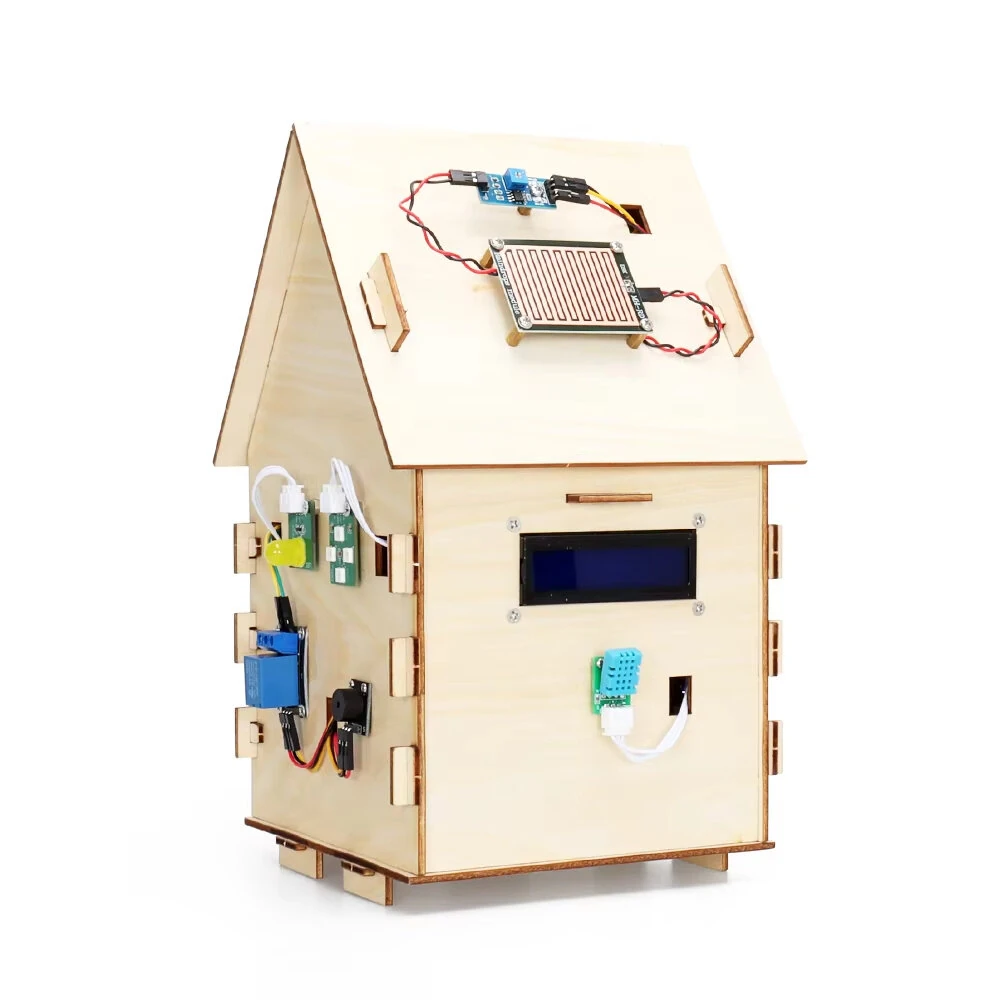
TSCINBUNY Smart Home Nano Starter Kit for Programming Project STEM Educational DIY Electronics Automation IoT Kit Components Sensors Modules Boards
The TSCINBUNY Smart Home Nano Starter Kit for Programming Project STEM Educational DIY Electronics Automation IoT Kit Components Sensors Modules Boards is a premium product designed for DIY enthusiasts and makers.
Available Offers
Free Delivery on this order. No minimum order value.
15-Day Easy Returns — hassle-free return & full refund.
Secure Payment — 100% safe checkout with UPI, Cards & Net Banking.
15% Off — you save ₹1,246 on this product!
Type: DIY Kit
Available Offers
5% Cashback
Pay with UPI & get 5% cashback (up to ₹50) via Razorpay
No-Cost EMI
Available on select bank cards at checkout. 0% interest for 3 months.
Free Shipping
Free delivery on all orders. No minimum order value.
Cash on Delivery
COD available on orders up to ₹5,000 across India.
Ideal For
About This Product
The TSCINBUNY Smart Home Nano Starter Kit for Programming Project STEM Educational DIY Electronics Automation IoT Kit Components Sensors Modules Boards is a premium designed for DIY enthusiasts and makers. It delivers reliable performance at an accessible price.
Why Buy from Elecvora?
Elecvora sources this product directly, cutting out multiple middlemen. Every order includes free shipping, a 15-day return policy, and secure payment via Razorpay.
Power Supply: 18650 3.7V battery (not included, no capacity limit)
Components: Various sensors, modules, and boards
Educational Focus: STEM (Science, Technology, Engineering, and Mathematics)
Instruction Manual: Available for download (contact customer service if needed)
Features:
1. User-Friendly IoT Exploration:
This IoT starter kit is designed for beginners entering the world of Internet of Things (IoT). Its user-friendly components and instructions make it an ideal choice for those new to IoT, ensuring a smooth and engaging learning experience.
2. Interactive Programming Journey:
Turn programming into a fun and educational journey with our kit. Learn coding and automation in the context of IoT, gaining valuable skills in a hands-on environment that makes complex concepts simple and enjoyable.
3. DIY Smart Electronics Projects:
The kit empowers you to unleash your creativity and build custom smart electronic devices. From smart home gadgets to innovative automation projects, you can craft a variety of IoT solution tailored to your needs and imagination.
4. Comprehensive Smart Home Learning:
This kit offers more than just gadgets; it's an extensive smart home system educational tool. Gain a deep understanding of smart home technology and learn to create your intelligent home automation setups, making you proficient in modern home tech.
5. Complete STEM Educational Package:
Our kit is a full STEM (Science, Technology, Engineering, and Mathematics) educational resource, fostering skills across multiple disciplines. It's carefully designed to provide a well-rounded educational experience, making it an invaluable tool for comprehensive STEM learning.
Package Included:
1 x ZYA0030 Nano Starter Kit


