1 / 2 · Click to enlarge
LILYGO TSIM7000G Module ESP32- WROVER-E Chip WiFi Bluetooth 18560 Battery Holder Solar Charge Development Board
The LILYGO TSIM7000G Module ESP32- WROVER-E Chip WiFi Bluetooth 18560 Battery Holder Solar Charge Development Board by LILYGO is a premium iot development boards designed for premium buyers. It features Item Type: ESP32 Based, WROVER Type and Operating Voltage: 5V.
Available Offers
Free Delivery on this order. No minimum order value.
15-Day Easy Returns — hassle-free return & full refund.
Secure Payment — 100% safe checkout with UPI, Cards & Net Banking.
Available Offers
5% Cashback
Pay with UPI & get 5% cashback (up to ₹50) via Razorpay
No-Cost EMI
Available on select bank cards at checkout. 0% interest for 3 months.
Free Shipping
Free delivery on all orders. No minimum order value.
Cash on Delivery
COD available on orders up to ₹5,000 across India.
Quick Specs
Ideal For
About This Product
The LILYGO TSIM7000G Module ESP32- WROVER-E Chip WiFi Bluetooth 18560 Battery Holder Solar Charge Development Board by LILYGO is a premium iot development boards designed for premium buyers. It delivers reliable performance at an accessible price.
Key Specifications
- Item Type: ESP32 Based, WROVER Type
- Operating Voltage: 5V — works with standard household power
- Working Current (mA): 200mA
- Input Voltage Range (DC): 4.4-6v — reliable connection even at a distance
- USB: TYPE-C 3.0
- Battery Holder: 18650 — keeps you powered without frequent recharging
- Clock Frequency: 40MHz — smooth, flicker-free operation
- Operating Temperature (°C): 40 to 85
Why Buy from Elecvora?
Elecvora sources this product directly, cutting out multiple middlemen. Every order includes free shipping, a 15-day return policy, and secure payment via Razorpay.
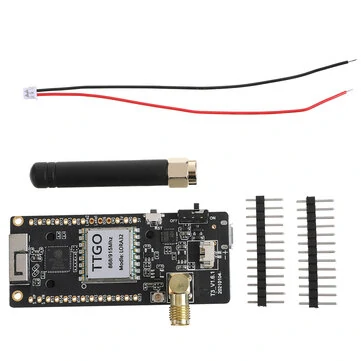
This is a LILYGO TSIM7000G Module ESP32- WROVER-E Chip WiFi Bluetooth 18560 Battery Holder Solar Charge Development Board. The module is used to transfer any data to another. The 7000G also has onboard GPS and a rechargeable battery. You fairly easily build a GPS tracker for your bike or other movable property. It has a solar input to charge the battery but any voltage source between 4-8V can be used to keep the battery charged.
Features:
- ESP32-WROVER-E Main Chip
- SIM7000G Module
- 18560 Battery Holder
- 4M Flash and 8M PSRAM
- Solar Charge Development Board
Data download link: https://github.com/Xinyuan-LilyGo/esp32-face-recognition