1 / 9 · Click to enlarge
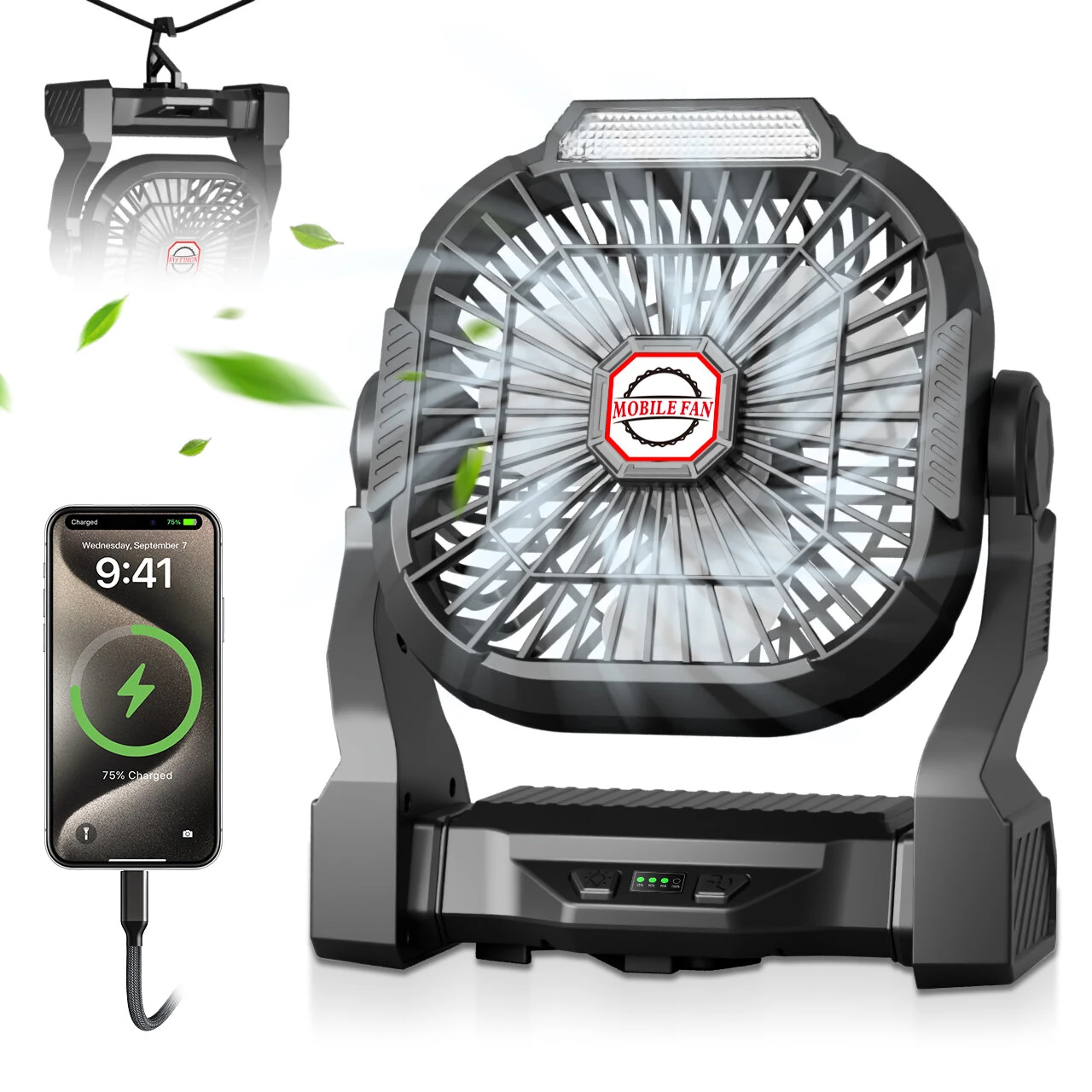
Xmund P18 Camping Fan with Light 10400mAh Battery Powered USB Rechargeable Tent Fan 4 Speeds Remote Control Portable Outdoor Accessory
5.01 ratingThe Xmund P18 Camping Fan with Light 10400mAh Battery Powered USB Rechargeable Tent Fan 4 Speeds Remote Control Portable Outdoor Accessory by Xmund is a mid-range product designed for outdoor enthusiasts.
Available Offers
Free Delivery on this order. No minimum order value.
15-Day Easy Returns — hassle-free return & full refund.
Secure Payment — 100% safe checkout with UPI, Cards & Net Banking.
22% Off — you save ₹1,157 on this product!
Color: Black
Available Offers
5% Cashback
Pay with UPI & get 5% cashback (up to ₹50) via Razorpay
No-Cost EMI
Available on select bank cards at checkout. 0% interest for 3 months.
Free Shipping
Free delivery on all orders. No minimum order value.
Cash on Delivery
COD available on orders up to ₹5,000 across India.
Ideal For
About This Product
The Xmund P18 Camping Fan with Light 10400mAh Battery Powered USB Rechargeable Tent Fan 4 Speeds Remote Control Portable Outdoor Accessory by Xmund is a mid-range designed for outdoor enthusiasts. It delivers reliable performance at an accessible price.
Why Buy from Elecvora?
Elecvora sources this product directly, cutting out multiple middlemen. Every order includes free shipping, a 15-day return policy, and secure payment via Razorpay.
Specifications:
Battery type: Electric battery
Model:P18
Control system: Keyboard system
Box type: Open-air wind fan lantern
Loud noise: 37-45dB
Size: 21.5 × 8.9 × 25.5 cm
Input/Output: 5V-2A
Wind Speed: 4.5 m/s
Rotation Speed: 2800 rpm
Wind speed position: continuous speed
Right or wrong support charge: support
Charging Method: USB Charging (Type-C)
Departure: 6-8 hours
Face color: black
Product capacity:10400mah
Weight: 810g
Features:
1.3-in-1 Mounting System: Features a strong clip for poles and edges, a concealed hook for hanging in tents, and a stable base for placement on any flat surface.
2.Wide-Angle Airflow: Provides complete area coverage with automatic 90°, 180°, and 360° horizontal oscillation, and can be manually rotated vertically at 270° to precisely direct airflow to where you need it.
3.Extended Operation & Power Bank: A massive 10400mAh rechargeable battery offers up to 45 hours of continuous operation and functions as an emergency power source to charge your phone.
4.Full Remote-Control Functionality: The included remote gives you command over power, 4 fan speeds, 3 light brightness levels, oscillation modes, and a 1/2/4/8-hour timer from up to 5 meters away.
5.Adjustable LED Camping Lantern: Integrated with a 3-level brightness LED light, providing a soft, non-flickering light source for your tent or campsite at night.
Package includes:
1 x Fan Light
1 x User Manual