1 / 9 · Click to enlarge
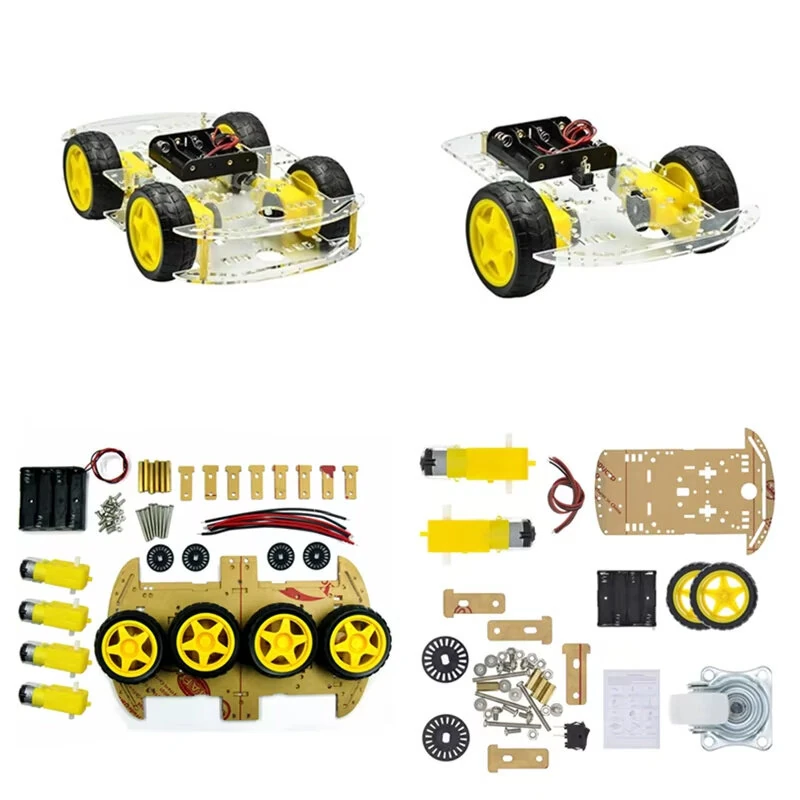
Yahboom Bluetooth Version Arduino Smart Robot Car Bitbot Foreign Version
 Bluetooth Version B
 Bluetooth Version C
 Bluetooth Version A
 Standard Version B
 Standard Version C
 Standard Version A
The Yahboom Bluetooth Version Arduino Smart Robot Car Bitbot Foreign Version is a premium electronics designed for premium buyers. It features One Package Weight: 1.04kgs / 2.29lb and One Package Size: 31.5cm * 20.6cm * 8cm / 12.4inch * 8.11inch * 3.15inch.
Available Offers
Free Delivery on this order. No minimum order value.
15-Day Easy Returns — hassle-free return & full refund.
Secure Payment — 100% safe checkout with UPI, Cards & Net Banking.
Available Offers
5% Cashback
Pay with UPI & get 5% cashback (up to ₹50) via Razorpay
No-Cost EMI
Available on select bank cards at checkout. 0% interest for 3 months.
Free Shipping
Free delivery on all orders. No minimum order value.
Cash on Delivery
COD available on orders up to ₹5,000 across India.
Quick Specs
Ideal For
About This Product
The Yahboom Bluetooth Version Arduino Smart Robot Car Bitbot Foreign Version is a premium electronics designed for premium buyers. It delivers reliable performance at an accessible price.
Key Specifications
- One Package Weight: 1.04kgs / 2.29lb
- One Package Size: 31.5cm * 20.6cm * 8cm / 12.4inch * 8.11inch * 3.15inch
- Best Sellers Rank (Consumer Electronics): #1761
- Best Sellers Rank (Consumer Electronics > DIY Parts & Components ): #44
- Best Sellers Rank (Consumer Electronics > DIY Parts & Components > Others): #8
Why Buy from Elecvora?
Elecvora sources this product directly, cutting out multiple middlemen. Every order includes free shipping, a 15-day return policy, and secure payment via Razorpay.
1. Arduino UNO imported from Italy is used, which is reliable in quality, compatible with official IDE programs, free of driver installation, and bid farewell to the troubles caused by driver installation compatibility 2. Samartduino is not only an Arduino-based robot car, but also has the standard configuration of the starter kit 3. Low-threshold smart car, can meet the needs of creativity, the enlightenment on the programming road 4. Support Helloblock graphical programming and programming methods such as Arduino and Mixly 5. Provide more than 40 kinds of video tutorials 6. Motor drive solution: L293D drive chip 7. Support multiple functions: automatic obstacle avoidance driving, black tracking, intelligent follow, ultrasonic obstacle avoidance, infrared remote control, etc. 8. Note: This product is shipped without a battery, if you need to use it, please prepare two 3.7V lithium batteries