
Free Delivery  ·  COD Available  ·  15-Day Returns
Elecvora
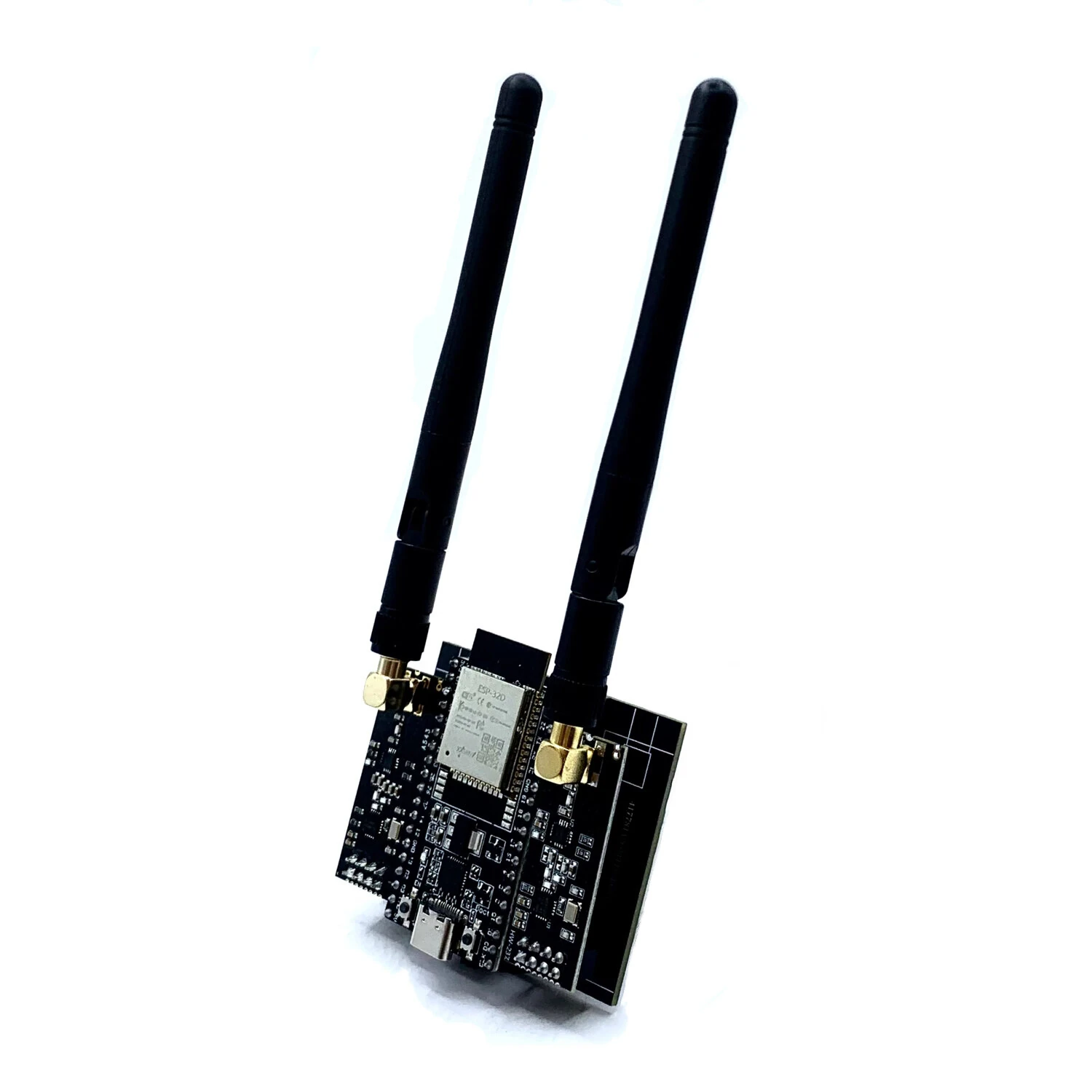
ESP32 DevKitC NRF24L01 PA LNA 2.4GHz Development Board Bluetooth Blocker Signal Wi-Fi Support Type-C Adapter Board — image 1
Hover to zoom

1 / 9 · Click to enlarge

ESP32 DevKitC NRF24L01 PA LNA 2.4GHz Development Board Bluetooth Blocker Signal Wi-Fi Support Type-C Adapter Board

5.07 ratings
662+ bought in past month
AI Summary
Motherboard & Development Board for everyday users

The ESP32 DevKitC NRF24L01 PA LNA 2.4GHz Development Board Bluetooth Blocker Signal Wi-Fi Support Type-C Adapter Board is a mid-range motherboard & development board designed for everyday users. Customers praise its easy to set up and use and fast and responsive. 100% of buyers rate it 4★ or above.

easy to set up and usefast and responsivewireless convenience
₹3,132-17%
MRP:₹3,759Save ₹627
Free Shipping💵 COD Available

Available Offers

Free Delivery on this order. No minimum order value.

15-Day Easy Returns — hassle-free return & full refund.

Secure Payment — 100% safe checkout with UPI, Cards & Net Banking.

17% Off — you save ₹627 on this product!

Color: Black

Black
Total: ₹3,132
Buying tip: A quality investment for dependable performance and premium build quality.
Estimated delivery: 24 Aug7 Sept
Free Shipping
Pan India delivery
15-Day Returns
Hassle-free policy
Secure Payment
Razorpay protected
Quality Assured
Vetted products only

Available Offers

💳

5% Cashback

Pay with UPI & get 5% cashback (up to ₹50) via Razorpay

🏦

No-Cost EMI

Available on select bank cards at checkout. 0% interest for 3 months.

📦

Free Shipping

Free delivery on all orders. No minimum order value.

💵

Cash on Delivery

COD available on orders up to ₹5,000 across India.

Ideal For

Everyday convenience
Share:
SKU: bg-2050703Category: Motherboard & Development Board

About This Product

The ESP32 DevKitC NRF24L01 PA LNA 2.4GHz Development Board Bluetooth Blocker Signal Wi-Fi Support Type-C Adapter Board is a mid-range motherboard & development board designed for everyday users. Customers highlight its easy to set up and use and fast and responsive.

Customer Verdict

100% of buyers rated this product 4 stars or above. The most appreciated qualities are: easy to set up and use, fast and responsive.

Why Buy from Elecvora?

Elecvora sources this product directly, cutting out multiple middlemen. Every order includes free shipping, a 15-day return policy, and secure payment via Razorpay.


Features: 1. This hardware is solely intended for learning purposes. 2. After connecting the Type-C to a 5V power supply, press the switch button on the adapter board from OFF to ON; simultaneously, press the RST reset button on the ESP32 development board; it is now ready for use; Note: This product is only for learning purposes. Please abide by local laws and regulations.

Specifications:
Product: ESP32 DevKitC + NRF24L01 PA LNA 2.4GHz Module Development Board
Frequency: 2.4GHz
Module support: Bluetooth blocker signal and Wifi support
Power supply: Type-C to 5V power supply
Switch operation: Press the switch button on the adapter board from OFF to ON
Reset operation: Press the RST reset button on the ESP32 development board
Intended use: Solely for learning purposes
Please note that you must ensure the 8-pin connector is aligned before inserting it to turn on power. Otherwise, a short circuit may occur. For 2x4 pin connectors, simply align them correctly and insert them.
Operating steps: 1. Turn on the switch. 2. Plug in the power (operating current approximately 5V 0.4A, which can disconnect the communication between the phone and the Bluetooth speaker). 3. After powering on, press the EN button. You can then check if the phone's Bluetooth or the Bluetooth speaker has disconnected. The other button is the boot button. You only need to press the boot button when flashing the firmware; otherwise, it will have no effect. Tips: 1. Pressing and releasing the EN button for two seconds will restart the device. To stop operation, use the switch to turn it off. 2. Pressing the boot button followed by the EN button will also prevent the device from running. Pressing the boot button while plugging in the power may result in firmware loss (i.e., entering flashing mode without flashing firmware, restarting, and powering off may erase the flashed firmware).

Package Included:
1 x ESP32-DevKitC development board
2 x NRF24L01+PA+LNA modules
1 x Accompanying adapter board
2 x Antennas


Product Safety Information

Setup Guide

1
Identify the pins
Locate VCC (power), GND (ground), and data pins (SDA/SCL for I2C, MOSI/MISO for SPI, or TX/RX for UART). Refer to the pinout diagram on the product page.
2
Wire to your microcontroller
Connect VCC to 3.3V or 5V (check the module spec), GND to GND, and data pins to the appropriate GPIO pins on your Arduino or Raspberry Pi.
3
Install libraries
In Arduino IDE, go to Sketch → Include Library → Manage Libraries and search for the sensor library. Install the recommended version.
4
Upload example sketch
Open File → Examples → [library name] → Basic Example. Upload to your board and open Serial Monitor to view output.
5
Calibrate if needed
Some sensors (temperature, humidity, distance) may need a short warm-up period or calibration. Run the calibration sketch if provided.



