
1 / 9 · Click to enlarge
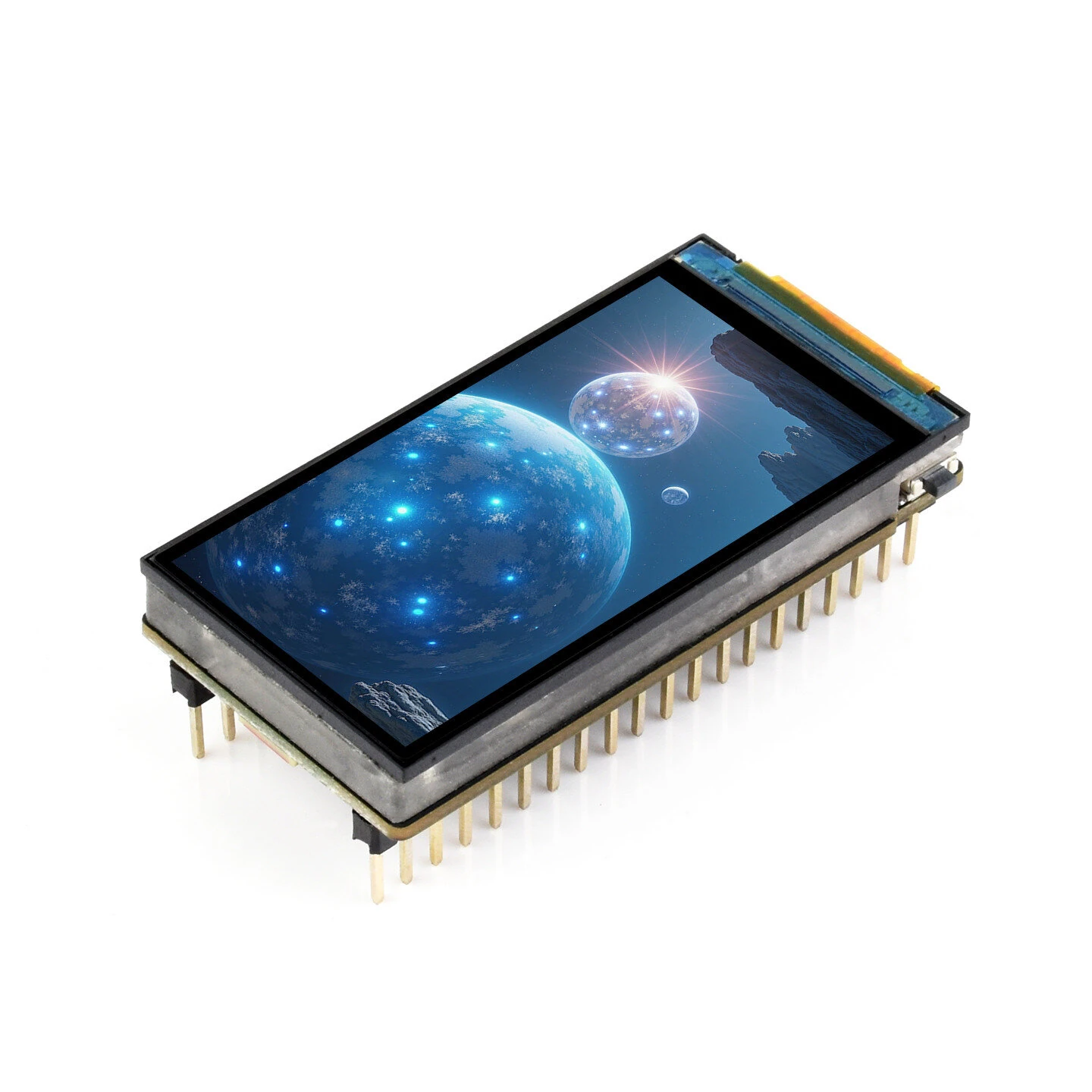
ESP32-S3 1.9inch Display Development Board 1.9-inch Touch LCD Screen Support WiFi Bluetooth 170×320 Resolution
The ESP32-S3 1.9inch Display Development Board 1.9-inch Touch LCD Screen Support WiFi Bluetooth 170×320 Resolution is a mid-range motherboard & development board designed for everyday users. It features Display Panel: LCD and Resolution: 170×320.
Available Offers
Free Delivery on this order. No minimum order value.
15-Day Easy Returns — hassle-free return & full refund.
Secure Payment — 100% safe checkout with UPI, Cards & Net Banking.
35% Off — you save ₹1,348 on this product!
Price: ₹2,529
Available Offers
5% Cashback
Pay with UPI & get 5% cashback (up to ₹50) via Razorpay
No-Cost EMI
Available on select bank cards at checkout. 0% interest for 3 months.
Free Shipping
Free delivery on all orders. No minimum order value.
Cash on Delivery
COD available on orders up to ₹5,000 across India.
Quick Specs
Ideal For
About This Product
The ESP32-S3 1.9inch Display Development Board 1.9-inch Touch LCD Screen Support WiFi Bluetooth 170×320 Resolution is a mid-range motherboard & development board designed for everyday users. It delivers reliable performance at an accessible price.
Key Specifications
- Display Panel: LCD — crisp, vibrant visuals in any lighting
- Resolution: 170×320
- Brightness: 500 cd/㎡ — excellent visibility in any environment
- Communication Interface: SPI — compatible with modern devices
- Touch: Supported (Touch Version Only) — compatible with modern devices
Why Buy from Elecvora?
Elecvora sources this product directly, cutting out multiple middlemen. Every order includes free shipping, a 15-day return policy, and secure payment via Razorpay.
Features: This product adopts ESP32-S3R8 chip with 2.4GHz WiFi and Bluetooth BLE 5 support, integrates high-capacity Flash and PSRAM. Onboard 1.9inch LCD display which can smoothly run GUI programs such as LVGL. Onboard QMI8658 6-axis IMU, TF card slot, Lithium battery header, etc. Compatible with Pico header, offering strong compatibility and expandability. It is suitable for the quick development of the HMI and other ESP32-S3 applications.
Specification:
1. Equipped with high-performance Xtensa 32-bit LX7 dual-core processor, up to 240MHz main frequency. 2. Supports 2.4GHz Wi-Fi (802.11 b/g/n) and Bluetooth 5 (LE), with an onboard antenna. 3. Built-in 512KB SRAM and 384KB ROM, with onboard 16MB Flash and 8MB PSRAM. 4. Onboard 1.9inch LCD display, 170 × 320 resolution, 262K color, delivering clear and vivid color image display. 5. Onboard QMI8658 6-axis IMU (3-axis accelerometer and 3-axis gyroscope) for detecting motion gestures, counting steps, etc. 6. Onboard USB Type-C port for power supply, program downloading, and debugging, more convenient for development use. 7. Onboard 3.7V MX1.25 Lithium battery recharge/discharge header. 8. Onboard TF card slot for external TF card storage of pictures or files. 9. Compatible with Pico header, onboard multiple peripheral interfaces, offering strong compatibility and expandability.
LCD Parameters:
Package included:
1 x ESP32-S3 1.9inch Display (touch/non-touch optional)







